


Blog / GMC Business

Work Trucks for Ranches, Crews and Small Businesses: How Fleet Buying Works at Holiday GMC

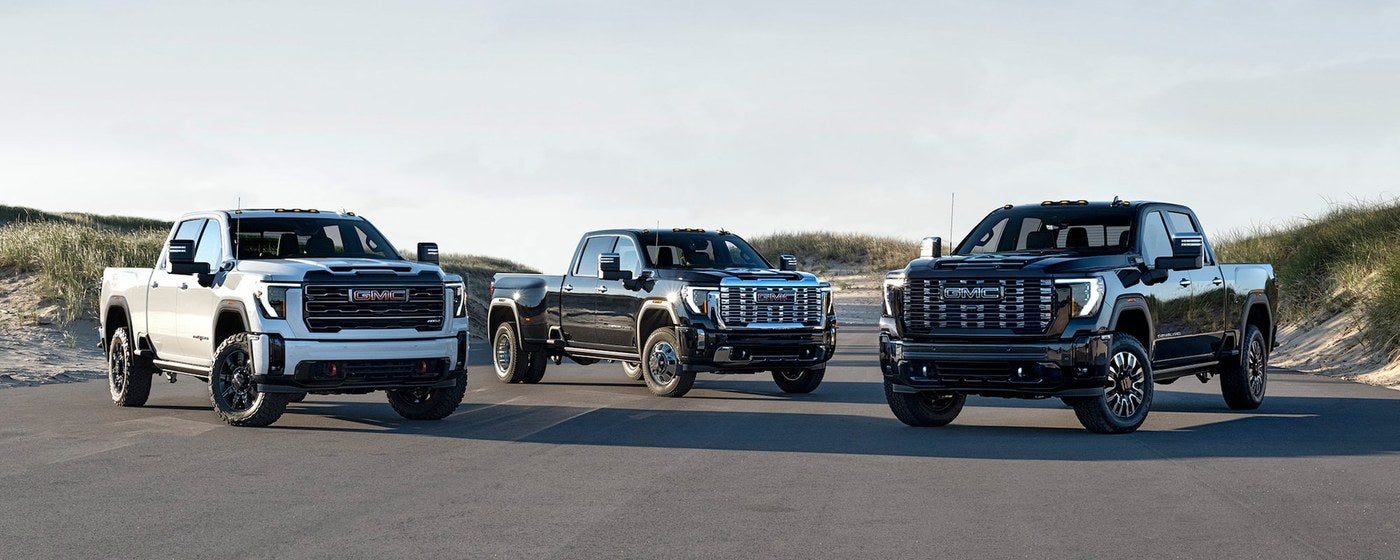
Three GMC Sierra HD work trucks parked side by side on a road
Business | Graham, TX
How Business Elite and fleet buying work at Holiday GMC, what to bring to the first conversation and which questions save time later.

A foreman calls on Monday because a work truck needs a transmission, and by Wednesday he's realized the other two trucks in the yard are close behind it. That's usually how a fleet decision starts in Young County: not with a plan, but with a pile of small breakdowns.

Buying one truck for a business is different from buying one for the driveway. The questions are about uptime, paperwork and how the next truck gets added when the work grows. This guide walks through Business Elite at Holiday GMC in Graham, who it's meant for and how to show up to the first conversation ready.

Quick answer: Holiday GMC in Graham has a Business Elite program for fleet and business buyers, which you can read about on the Business Elite page. Call (940) 227-4212, tell the team what the trucks have to do, and ask what the program includes for your kind of work.

Program
Business Elite, for fleet and business buying
Good fit for
Ranches, contractors and small businesses adding trucks
Start with
A list of the jobs each truck has to handle

What is Business Elite at Holiday GMC?

Business Elite is the name Holiday GMC uses for its fleet and business buying page. It's aimed at companies that buy trucks and vans for work rather than for personal use, and it gives you a starting point for that conversation instead of a general sales floor visit.

The site doesn't list the specific terms, so don't assume what a fleet buyer gets. Ask the team directly what Business Elite includes today, and have them put the answers in writing. A good fleet conversation is specific about what's offered and what isn't.

There's also a separate fleet page on the site that's worth a look before you call. Between the two, you'll know what the store is set up to handle.
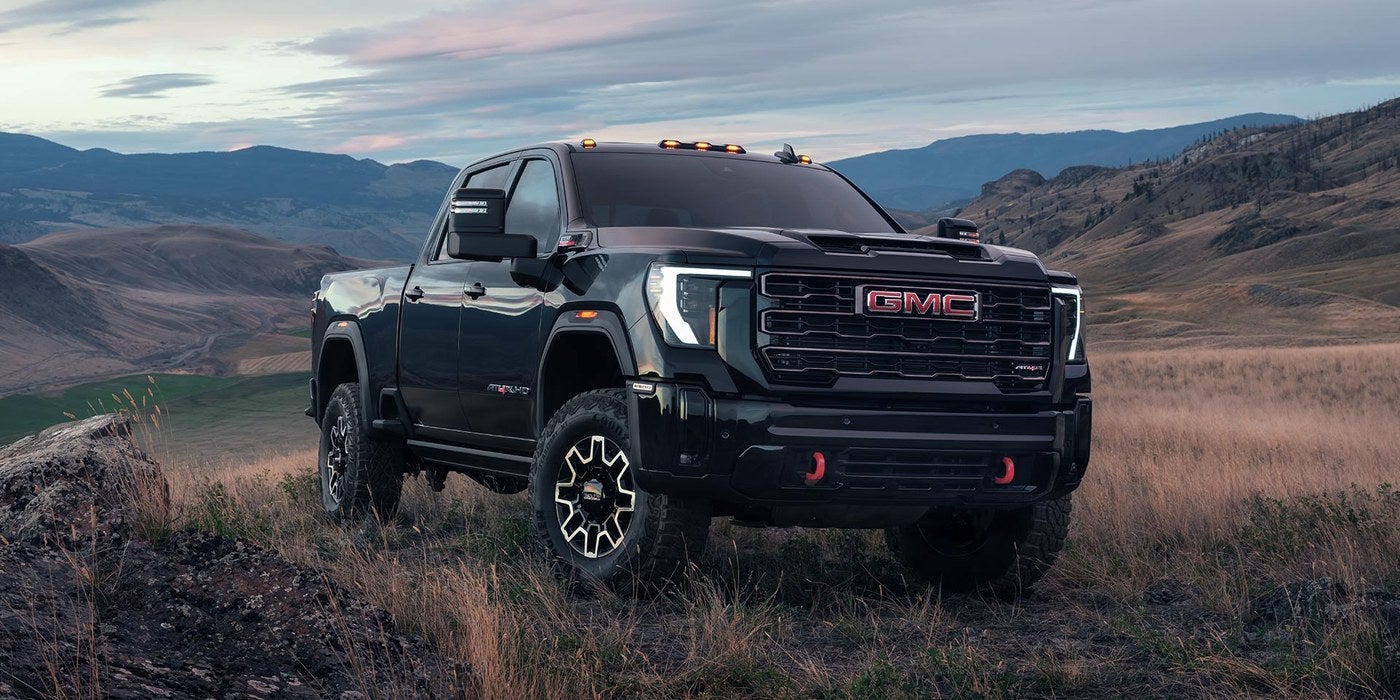
Black GMC Sierra HD pickup parked in an open grassy valley

Is fleet buying only for big companies?

Not at all. Plenty of fleets in this part of Texas are three trucks and a trailer. A cattle operation with a couple of Sierra HD trucks, an electrician with four service vehicles and a pipeline contractor adding to a crew all think about the same things: reliability, resale, and keeping the work moving.

The honest test is who the truck is for. If the vehicle goes on the company books, gets a company name on the door or gets shared between workers, it's worth asking about Business Elite. If it's one truck mostly for family use, a regular sales visit may fit better.

Small operations often have the most to gain from a plan. Without a purchasing department, the person ordering the trucks is also the person running the crew, answering the phone and watching the weather. A single point of contact at the dealership, and a clear list of what you need, takes one job off that pile.

A good fleet conversation is specific about what's offered and what isn't

What should you prepare before you call?

A little homework makes the first call short and useful. You don't need a spreadsheet, though a page of notes helps a lot.

It also helps to decide what you'll do with the trucks you're replacing. If an older pickup is still earning its keep, a trade appraisal can be part of the same visit, and the store's Value Your Trade tool is a quick way to start the conversation.

1
List the jobs

Write down what each truck does: hauling feed, pulling a gooseneck, carrying tools, driving highway miles between sites.

2
Count the seats and the cargo

Note how many workers ride in each truck and what has to fit in the bed or behind the cab.

3
Check your timeline

Say when you need the trucks. Ordering a vehicle can take longer than picking one that's already built.

4
Gather the business paperwork

Have your company details handy for the finance side, and look at the Finance Department page to see how that works.
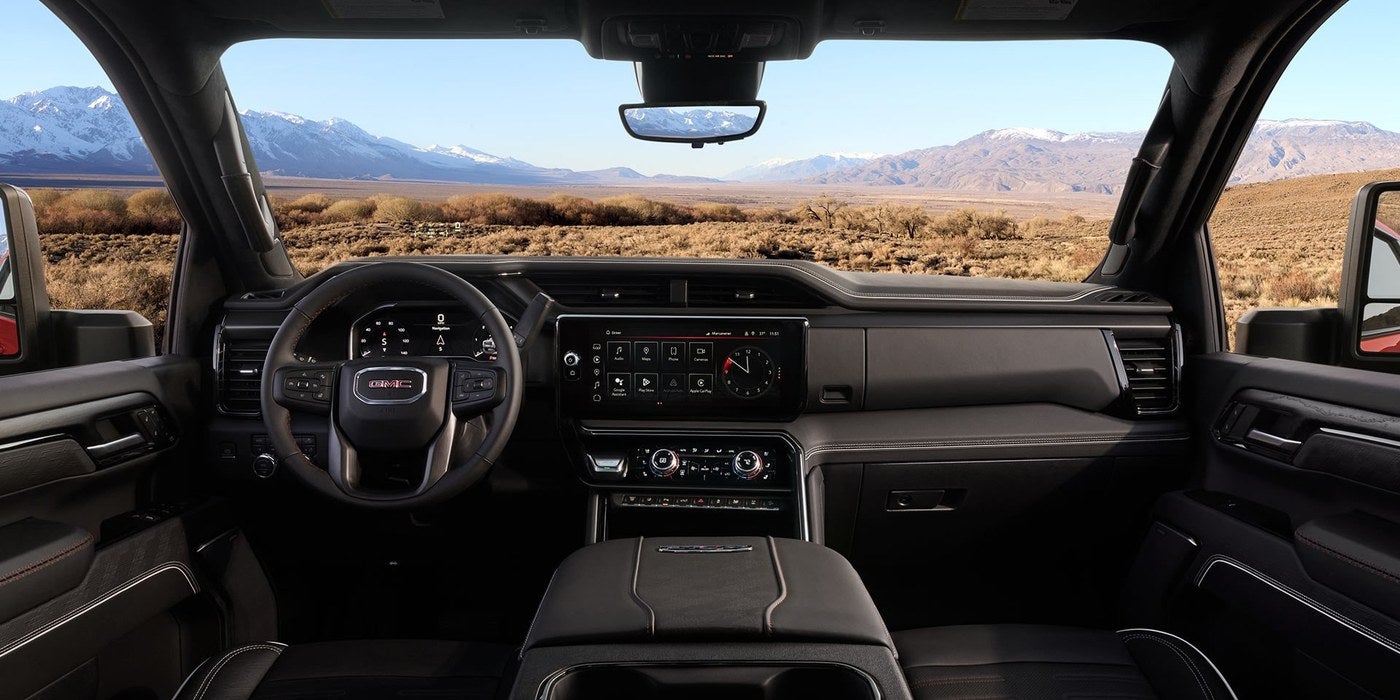
Dashboard and front seats inside a GMC Sierra HD with a desert view through the windshield

Sierra HD or Sierra 1500 for the work you do?

The Sierra HD line, which includes the 2500HD and 3500HD, is built for heavy jobs: big trailers, loaded beds and long days of hard use. The Sierra 1500 is a better fit when the truck is part work tool and part everyday ride, and the loads are lighter.

Don't pick by name alone. Ask the team for the exact figures on the build you're looking at, and match them to your heaviest regular job, not your average one. A truck that handles the worst day easily tends to handle the rest without complaint.

If your work needs a van or another body style, ask what Holiday GMC can get for a business account. The lineup on the site is trucks and SUVs, so confirm availability rather than assuming.

How do you keep a work truck on the road after the sale?

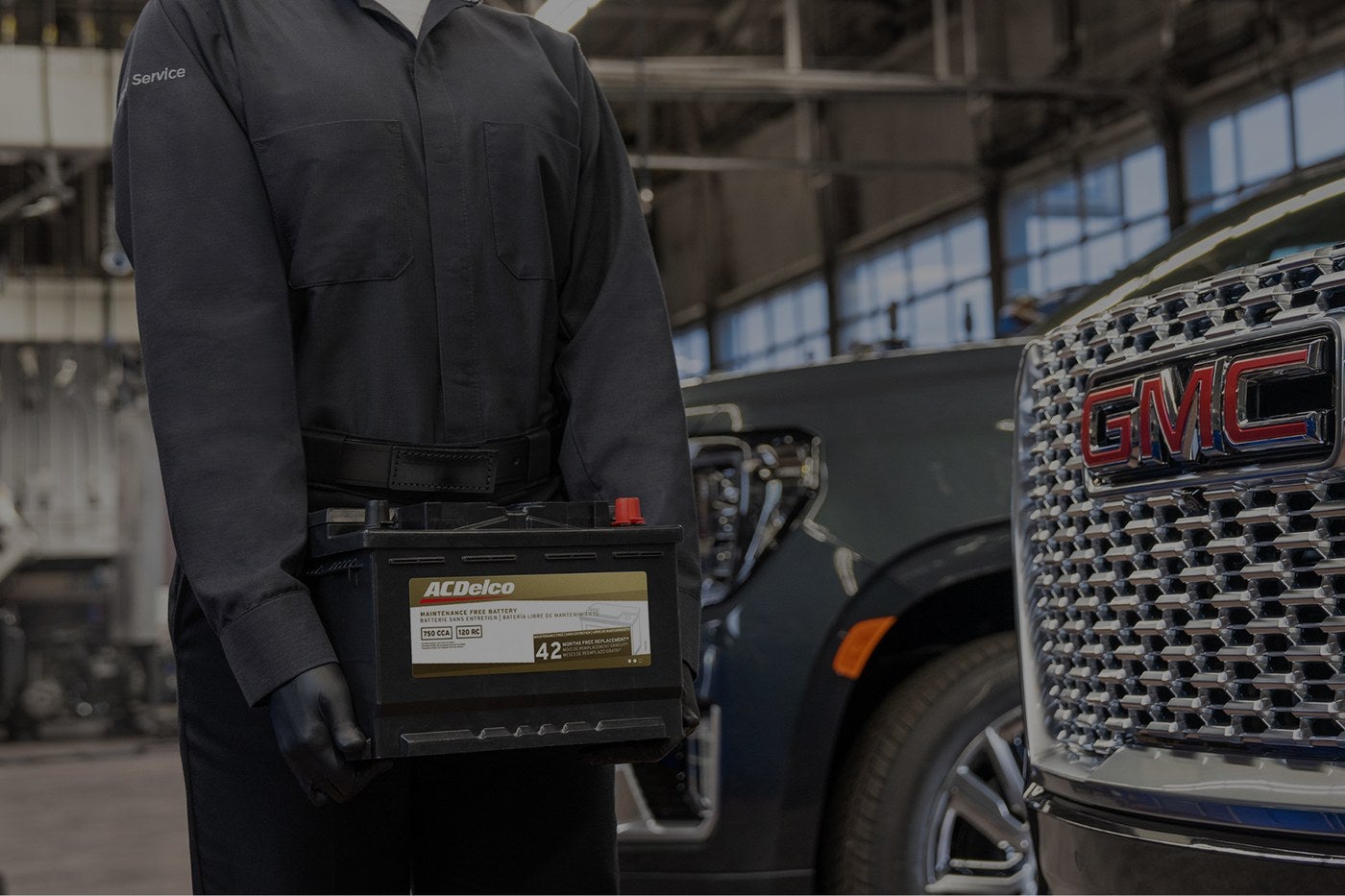
A truck sitting in the yard with a dead battery costs a crew its day. That's why service planning belongs in the first conversation, not the last one. Holiday GMC's service department is open Monday through Friday, 8 to 6, and works on GMC and other vehicles.

Shop tip

Set a regular day for the whole yard. If every truck rotates through the schedule on a calendar instead of when something breaks, the Multi-Point Vehicle Inspection can catch tires, brakes and batteries before they strand a crew.

Parts matter on a work truck too. The department works with GM Genuine Parts and ACDelco parts, and you can ask which one fits a given repair.

Finally, ask about timing for repairs. A shop that can tell you honestly how long a brake job or a battery swap will take lets you plan the week around it, and that kind of straight answer is worth more than a promise you can't count on.

See one on the job first

If you'd like to know how a truck feels before the business commits, test drives at Holiday GMC can run for a few days, and a vehicle can be delivered for a test drive where available. The store also states a focus on transparent pricing with no surprise dealer add ons.

Schedule a test drive

Business Elite Basics

What is Business Elite?

It's the fleet and business program page at Holiday GMC. Ask the team what it includes for the vehicles you need.

Do I need a big fleet to use it?

No fixed size is listed on the site. Call (940) 227-4212 and describe your operation, from two trucks to a full yard.

Can a rancher use Business Elite?

If the trucks are bought for the ranch business, it's worth asking. The team can tell you whether it fits your situation.

Picking the Right Truck

Should I buy a Sierra 2500HD or 3500HD?

It depends on the heaviest load you pull or carry. Ask the team for exact figures on the build, and compare them with your real jobs.

Is a Sierra 1500 enough for a contractor?

For lighter loads and a lot of road miles, it can be. If you regularly haul heavy equipment, step up to the HD line.

Can I get a work van?

The site lists trucks and SUVs, so ask the team what's possible for a business order. Don't count on a model that isn't on the lineup page.

Ordering and Timing

Can I order a truck built to my specs?

The site has an Order Your Vehicle page for that. The team can explain how long the process takes.

How long will an order take?

It varies with the build, so ask when you place it. If you need a truck soon, say so up front.

Can I buy several trucks at once?

Ask about it directly. A multi truck purchase is exactly what a fleet conversation is for.

Financing a Business Purchase

Does Holiday GMC handle business financing?

The store has a Finance Department page, and the team can explain your options for a business purchase.

What should I bring for finance?

Ask the team what they need for your kind of business. Having company details ready will speed things up.

Can I see a payment estimate first?

The site has a payment calculator you can use on your own. Treat it as a rough guide, and get real numbers from the team.

Service for Work Trucks

Where do I take a work truck for service?

Holiday GMC is at 1420 Highway 380 Bypass in Graham. Service is open Monday through Friday from 8 to 6.

Can the shop work on trucks that aren't GMC?

The department states it can service a GMC or any other vehicle. Call first so the advisor can confirm.

Can I schedule service for several trucks?

Call the department and explain what you have. The advisor can tell you how to line up the visits.
Talk through financing
See how the Finance Department works.
Finance Department
Reach the store
Phone, hours and directions.
Contact Holiday GMC
Posted in:

Related Posts

Technician holding an ACDelco battery beside the Denali grille of a GMC at Holiday GMC in Graham, TX

Check the Battery Before the First Cold Morning: GMC Battery Service in Graham

Service | Graham, TX Why batteries fail when the weather turns, what the warning signs look like and how to get yours tested at Holiday GMC. Batteries rarely die at a good time. They wait for the first cold snap, the morning of a hunting trip or the Friday before a holiday weekend, when the truck is loaded and the family's already in the driveway. The frustrating part is that most batteries give notice. A slow start, dim lights or a warning on the dash usually show up weeks before the final click. This guide covers what to watch for, what a battery check involves at Holiday GMC in Graham and how to fit it in before the roads fill up. Quick answer: Have your battery tested before cold weather or a long trip, and replace it if the test says it's weak. Holiday GMC's service department handles batteries, and you can book through the battery service page or by calling (940) 227-4212. Where Holiday GMC, 1420 Highway 380 Bypass, Graham, TX Parts GM Genuine Parts and ACDelco parts Service hours Monday through Friday, 8 to 6 In this post Why do batteries give out when the weather cools off? What are the warning signs of a weak battery? What does a battery check at Holiday GMC involve? How long will it take, and can you wait while it's done? What else should you look at before a long cold weather trip? Why do batteries give out when the weather cools off? A battery makes power through a chemical reaction, and cold slows that reaction down. At the same time, a cold engine is harder to turn over because the oil is thicker. So the battery has less to give right when the truck asks for more. Heat does the quiet damage first. A long Texas summer wears a battery down, and a weakened one can seem fine until the temperature drops and exposes it. That's why the first chilly morning in October or November is when so many trucks refuse to start. Modern GMC trucks and SUVs also ask a lot of the battery even when parked. Screens, sensors and remote start features keep drawing a little power, which adds up on a vehicle that sits for days. What are the warning signs of a weak battery? Most of these are easy to ignore for a while. Don't. A battery that's starting to fail can take a perfectly good weekend with it. Slow, labored starts If the engine cranks slower than it used to, especially in the morning, the battery is losing strength. Dim lights or a flickering dash Headlights that fade at idle or screens that restart can point to a battery or charging problem. Warning message or light A battery or charging message on the dash needs a check, not a wait and see approach. Corrosion on the terminals White or blue crust around the posts can block the flow of power and is worth showing to a technician. Age matters too. A battery that's been in the truck a long time is a candidate for testing even if it still starts the engine, because failure often comes without much warning. most batteries give notice What does a battery check at Holiday GMC involve? The service department lists the battery among the items in its Multi-Point Vehicle Inspection, alongside tires, wiper blades, fluid levels and brakes. Inspections vary by dealer, so ask the advisor how the battery is tested when you check in. 1 Book a time Use the Schedule Service page or call the department. Mention that you want the battery checked so the advisor can plan for it. 2 Describe what you've noticed Slow starts, dash messages and long periods of sitting all help the technician. 3 Testing A technician tests the battery and checks the connections, then tells you whether it's healthy, weak or ready to replace. 4 Decision and replacement If it needs replacing, the department works with GM Genuine Parts and ACDelco parts, and the advisor can explain which fits your vehicle. Book a battery visit Look at service specials How long will it take, and can you wait while it's done? The honest answer is that it depends on the day. A test by itself is usually quick, and a swap can be too, but the shop's schedule and any extra work found during the inspection change the picture. The advisor can give you an estimate when you book, and a better one when you check in. The busiest stretch is the first cold week, when everyone remembers their battery at once. Booking before the weather turns, or early in the week, gives you more choices. The department is open Monday through Friday, 8 to 6, and closed on weekends, so a Saturday morning plan won't work. Holiday trip tip If a trip is coming, get the battery checked at least a week ahead. That leaves time to order a part if one is needed, and it keeps the surprise from landing on the day you're loaded and ready to go. What else should you look at before a long cold weather trip? A battery check is a good excuse to look at the rest of the truck. Tires matter in cold weather because pressure drops with the temperature, so the Tire Finder tool is worth a look if the tread is getting low. Wiper blades, brakes and fluid levels are all part of the inspection too. Pack a set of jumper cables or a portable jump starter if you travel out toward Possum Kingdom Lake or along Highway 16, where help may be a ways off. It won't fix a failing battery, but it can turn a long wait into a short delay. Book it by phone, online or in person Pick the route that suits your week. Call the department at (940) 227-4212, use the online schedule form, or read through the service page first. Technicians here are GMC Certified Service technicians, and the shop handles a GMC or any other vehicle. See the service page Testing and Replacing a Battery Where can I get a GMC battery tested in Graham, TX? + Holiday GMC at 1420 Highway 380 Bypass offers battery service through its service department. Book online or call (940) 227-4212. Do I need to replace the battery if it still starts the truck? + Not always. A test tells you how much strength is left, and the advisor can tell you whether it's worth replacing before the cold arrives. What kind of battery will my GMC get? + The department works with GM Genuine Parts and ACDelco parts. Ask the advisor which battery matches your vehicle. Signs and Symptoms Why does my truck start slowly on cold mornings? + Cold weather thins the oil and weakens the battery, so a tired battery shows its age first. A test can confirm it. What does a dim dash light mean? + It can point to a weak battery or a charging problem. Have it looked at soon, because a charging issue will drain even a new battery. Can a battery fail without any warning? + Yes, though most give hints first. A test is the dependable way to know where yours stands. Scheduling and Wait Times How do I book a battery visit? + Use the Schedule Service page on the site or call the department. Let them know it's for the battery. Can I wait while it's done? + Ask the advisor when you book. How long it takes depends on that day's schedule and any additional work. What days is the service department open? + Service is open Monday through Friday from 8 to 6, and closed on Saturday and Sunday. Prices and Specials How much does a battery cost? + Cost depends on the battery your vehicle needs, so ask the service advisor for an estimate. Checking the specials page before you book is a reasonable habit. Is there a coupon for battery service? + The site has a Service and Parts Specials page, but offers change. Look there or ask the advisor when you book. Is a battery covered by warranty? + Coverage depends on the battery and the vehicle. The Parts Warranty page and the advisor can explain what applies. Other Vehicles and Extras Can you test the battery on a vehicle that isn't a GMC? + The department states it can service a GMC or any other vehicle. Call first so the advisor can confirm. Should I check the tires at the same time? + It's a smart pairing. The inspection includes tires, and the Tire Finder tool on the site can help if you need new ones. What if my truck won't start at all? + Call the department at (940) 227-4212 for guidance. A roadside jump can get you moving, but get the battery tested right after. Check your tires too Cold air and low tread don't mix. See Tires Order a part ahead Request a part through the parts page. Order Parts

Man driving a GMC Sierra 1500 hands free with Super Cruise on a desert highway

Super Cruise on Texas Highways, Explained in Plain Terms

Technology | Graham, TX What Super Cruise does on a long Texas highway, where it stops helping and how to try it before you decide. Anyone who's driven I 20 south of Graham or the long straight stretches of TX 199 knows the feeling around mile forty: the road is easy, the scenery doesn't change, and your shoulders have been tight for an hour. That's the situation Super Cruise was built for. It's also a feature that gets described badly. Some folks hear hands free and picture a truck that drives itself, and that's not what this is. This guide explains what the system does, where it stops, which GMC models offer it and how to judge it on a real test drive at Holiday GMC in Graham. Quick answer: Super Cruise is a hands free driving feature for mapped highways, and you still have to watch the road the whole time. It's available on select GMC models and trims, so check the build for the one you want and read the details on the Super Cruise page. What it is Hands free driving on compatible mapped highways What it needs from you Your eyes on the road at all times Where to try it A test drive at Holiday GMC, 1420 Highway 380 Bypass, Graham In this post What does Super Cruise do on a Texas highway? Does it work on every road around Graham? What won't Super Cruise do for you? Which GMC models offer Super Cruise? How do you test Super Cruise on a test drive? What does Super Cruise do on a Texas highway? Once the system is ready and you're on a compatible highway, it can steer, hold your lane and keep a set following distance while your hands rest off the wheel. You pick the speed the way you would with ordinary cruise control, and the truck handles the small corrections that wear you out on a long haul. A camera inside the cabin watches where your eyes are pointed. If your attention drifts, the system warns you, and if you ignore the warnings it will slow the vehicle down. The idea is simple: the truck shares the work, but you stay responsible for the drive. On a flat, open highway with light traffic, that division of labor is a real relief. Hours behind the wheel feel shorter when you aren't fighting a steady crosswind or nudging the lane position every few seconds. Does it work on every road around Graham? No, and that surprises some first time users. Super Cruise relies on detailed map data, so it works on compatible divided highways that have been mapped for it. A two lane farm road, a gravel county route or a town street isn't where you should expect it to engage. The Super Cruise page on the Holiday GMC site links to coverage information, and that's the place to check before a long trip. Roads get added over time, so a route that wasn't covered last year may be covered now. Road trip tip Plan the drive in two parts. The county roads from Graham out to the main highway are yours to steer, and the system comes into play once you reach a mapped stretch. Treat the hands free miles as a bonus, not the whole plan. the truck shares the work, but you stay responsible for the drive What won't Super Cruise do for you? It helps with the highway, and it leaves the judgment to you. These are the situations where you should expect to take over, or at least be ready to. Poor visibility Heavy rain, fog, dust or low sun can limit what the cameras and sensors see. Keep your hands near the wheel and be ready to drive. Construction zones Shifted lanes, cones and workers on the shoulder are exactly where a human has to make the call. Exits and unmapped roads The system is for the highway portion of a trip. You steer the ramps, the turns and the town streets at the other end. Looking away Reading a phone or turning around to deal with the back seat defeats the purpose. The camera will notice, and so will the rest of the road. Browse new GMC trucks and SUVs Compare GMC against other brands Which GMC models offer Super Cruise? It's available on select models and trims rather than across the board. Depending on the build, that can include trucks like the Sierra 1500 and larger SUVs like the Yukon, along with some of the electric models. The trim and package decide it, so don't assume a vehicle has it because a sibling does. The model research page is a good place to start narrowing down the models you like. When you've found a build you're interested in, ask the sales team to confirm in writing that Super Cruise is on that exact vehicle, plus any plan or subscription terms that come with it. Those details change, and a quick question now avoids a surprise later. If you're cross shopping a Toyota Tundra or Highlander, the same rule applies there. Compare what each vehicle offers for hands free highway help on the specific trim, not the model name. How do you test Super Cruise on a test drive? A lap around the block won't tell you much. Ask the team for a route that includes a stretch of mapped highway, and treat the drive like a short trip you'd really take. 1 Pick the route first Tell the salesperson you want time on a divided highway, so they can plan a loop that gives the system a fair try. 2 Learn the display Before you engage anything, look at how the instrument cluster shows that the feature is ready, active or asking for you. 3 Let it work, then take over Notice how it handles curves, other traffic and a lane change, then practice taking the wheel back so the handoff feels normal. 4 Ask about the rules Confirm which trims have it, how the plan works and what the coverage map includes for the roads you drive. Take a few days with it A feature like this is easier to judge on your own roads than in a showroom lot. Test drives at Holiday GMC can run for a few days, and the store can deliver a vehicle for a test drive where available. The store also states a focus on transparent pricing with no surprise dealer add ons. Schedule a test drive The Basics of Hands Free Driving What is Super Cruise? + Super Cruise is a driver assistance feature that lets you drive hands free on compatible mapped highways. You still have to pay attention to the road, and an interior camera checks that you do. Is Super Cruise the same as a self driving car? + No. The system helps with steering, lane position and following distance, and you stay in charge. Think of it as a second set of hands for the highway. Can I take a nap while it's on? + Never. The truck expects your eyes on the road, and it will warn you and slow down if they aren't. Roads and Conditions Will it work on TX 199 or I 20? + Those are the kind of highways the system is built for, but coverage depends on the map data. Check the coverage information on the Super Cruise page before you count on a specific stretch. Does bad weather turn it off? + Poor visibility can limit what the system sees, so it may ask you to take over. In rain, fog or heavy dust, plan to drive the way you normally would. What about construction zones? + Treat those as yours to drive. Shifted lanes and temporary signs are situations where a person should be steering. Which Models and Trims Does the Sierra 1500 come with Super Cruise? + It's available on select Sierra 1500 trims, not on every one. Check the build for your trim or ask the sales team to confirm. Can I get it on a Yukon? + Select Yukon builds can offer it. Confirm it on the exact vehicle before you decide. Do the electric GMC trucks have it too? + Some electric models offer it on select trims. The HUMMER EV and Sierra EV pages on the site are the place to look at what's available. Cost, Plans and Paperwork Does Super Cruise cost extra? + Ask the sales team for the current terms, since plans and packages can change. The dealership can walk you through what's included on the vehicle you're considering. Is there a subscription after the trial? + Plan terms vary, so ask for the details on the specific vehicle before you buy. Get them in writing, and you'll know what to expect. Can I add it to a vehicle I already own? + Ask the team. Whether a feature can be added depends on how the vehicle was built, and the advisor can check for you. Trying It at Holiday GMC Can I test drive a Super Cruise vehicle in Graham? + You can schedule a test drive online or call (940) 227-4212. Tell the team you want to try the feature so they can set up a drive with highway time. How long can a test drive last? + The About page says test drives can run for a few days. Ask the sales team how that works for the vehicle you want. Where is Holiday GMC? + The store is at 1420 Highway 380 Bypass in Graham, TX. Sales is open Monday through Friday from 8 to 6 and Saturday from 9 to 5. Build the one you want Order a vehicle with the options you choose. Order Your Vehicle Plan your visit Store hours and directions for a test drive. Hours and Directions

White GMC Acadia SUV on a gravel road with green hills in the background

The GMC Acadia for School Pickup, the Commute and the Drive to the Lake

Acadia | Graham, TX What the Acadia does well for parents and commuters, where to look closely and how to try one at Holiday GMC. Monday through Friday, plenty of vehicles around Graham spend their days in a loop: school drop off, a drive to work, a stop for groceries, school pickup, practice. A pickup truck can handle that loop, and so can a sedan, but neither one was built around it. The Acadia was. This post looks at the Acadia as a daily vehicle for parents and commuters, with a few notes on weekend use. It leaves out figures, since seating, equipment and capability depend on the trim and the build. Treat it as a checklist for your first visit, and confirm the details for any trim you like with the team. Quick answer: The Acadia is GMC's three row SUV for daily family and commuter use, with available driver assistance and an AT4 and Denali choice for different tastes. Read the Acadia details on the model research page, then ask Holiday GMC at (940) 227-4212 which builds you can drive. Built for School runs, commutes and weekend trips Trims to ask about AT4 and Denali character, plus the others on the build sheet Where to drive one Holiday GMC, 1420 Highway 380 Bypass, Graham, TX In this post Is the Acadia's third row usable day to day? What should you look at inside the cabin? How does the Acadia handle a highway commute? Does AT4 or Denali fit better? How can you plan the budget before you visit? Is the Acadia's third row usable day to day? A third row looks good on paper and fails in practice more often than any other feature, so test it with real passengers. Climb into the back yourself. Check how the second row slides or tips, how wide the opening is and whether a taller kid fits without folding in half. Think about who sits there. Younger children usually find the rear seats fine for an afternoon of soccer carpool. Adults do better on short hops than on a drive to Possum Kingdom. If the third row only matters four times a year, weigh that against how often you'll need cargo space instead. Cargo is the other thing to compare. Set a stroller, a ball bag or a weekend cooler in the back with the third row up, then again with it folded, and see which setup you really live with. That small test tells you how often you will juggle seats. Fold the seats up and down a few times, with one hand, the way you would with a toddler on your hip. Handles, latches and the way the cargo floor sits when the seats are stowed say a lot about how the vehicle behaves in a busy week. What should you look at inside the cabin? Start with the second row, since that's where kids spend most of their time. Look for charging ports, air vents, window shades and cupholders within their reach. These are small items that matter on a long stretch of road, and equipment differs by trim, so check the one you're considering. Up front, sit in the driver seat and adjust everything. Notice the seat height, visibility over the hood and how easy the touchscreen is to use without staring at it. Good controls lower the chance that you'll fumble with a menu while the school bus stops ahead. Car seat test Bring your actual car seats to the lot. Installing them in the second and third rows takes five minutes and answers questions no brochure can. How does the Acadia handle a highway commute? Commuters on TX 199 or the road toward Jacksboro care about three things: comfort over distance, quiet at speed and how tired you feel after the drive. Seat support and road noise are personal, so drive the Acadia on a real stretch of highway instead of a quick loop around the block. Driver assistance features are available on many builds and are meant to reduce workload on long drives. Features vary by trim, so ask which ones come with the build in front of you, and learn how they behave before you rely on them. They support an attentive driver and don't replace one. If hands free highway driving interests you, GMC's Super Cruise material explains the system in GMC's own words. Ask the team whether it can be added to the Acadia you want. learn how they behave before you rely on them Does AT4 or Denali fit better? The two trims set different moods. AT4 has an outdoorsy character and suits a household that heads to trailheads, lake ramps and gravel roads on weekends. Denali leans toward a polished, upscale cabin and suits someone who spends real hours in the seat every day. Neither is the right answer for everyone. If a commute includes gravel, AT4 starts to make sense. If most miles are paved and quiet matters, Denali might appeal more. Drive both on the same route, back to back, so the differences are obvious rather than imagined. Browse new Acadia inventory Read about Super Cruise How can you plan the budget before you visit? Work out a monthly range you're comfortable with first. The payment calculator on the Holiday GMC site lets you try different terms without committing to anything. Keep in mind that insurance and fuel add to the monthly picture, and both depend on the vehicle you choose. Also think about parking. School pickup lines are slow and tight, and a vehicle that backs up cleanly with a camera view makes the afternoon calmer. Ask which camera and sensor features are available on the trim you like, and try them in the dealership lot before you leave. Pay attention to blind spots at the rear corners too, since a third row headrest can block some of the view. Bring questions about equipment, beyond price. Ask which features come with the build, which are available as separate options and which you can skip. The store also describes a focus on transparent pricing with no surprise dealer add ons, so get that conversation going early. Take the school run for a test A real week tells you more than a lot loop. Holiday GMC says test drives can run for a few days, with vehicle delivery for a drive offered where available. The store also describes transparent pricing with no surprise dealer add ons. Request an Acadia test drive Seating and Space How many people does the Acadia seat? + It's a three row SUV, but seating layouts depend on the build. Ask the team to confirm what the vehicle you're looking at offers. Do the third row seats fold flat? + They fold to open up cargo room, and the exact result depends on the trim. Try it in person to see how it works. Will it fit two car seats? + Many parents bring their seats to check. That's the quickest answer for your own model of seat. Trims and Style What's the difference between Acadia AT4 and Denali? + AT4 leans outdoorsy and Denali leans upscale. Drive both to feel how they differ. Is every trim available right now? + Availability changes, so call the store at (940) 227-4212. The team can say what's on hand or can be ordered. Can I order an Acadia built to my spec? + The Order Your Vehicle page on the Holiday GMC site covers it. Ask about timing and options. Technology and Assistance Does the Acadia have driver assistance? + Driver assistance features are available, and they vary by trim. Check the build sheet for the exact list. Is Super Cruise offered on the Acadia? + Ask the team, because it depends on the model and trim. The Super Cruise page explains how the system works. Will my phone connect to the infotainment screen? + Compatibility depends on the build, so test it with your own phone during the drive. Buying Steps Can I trade in my current SUV? + Yes. The Value Your Trade page starts the process, and the team confirms the value in person. How do I know what I can afford? + Try the What's My Buying Power tool and the payment calculator. Both give a sense of range. Does Holiday GMC have a finance department? + Yes, the site has a Finance Department page. It outlines how financing works. Visiting and Service Where is the store? + 1420 Highway 380 Bypass in Graham, TX 76450. What are the sales hours? + Monday through Friday from 8 to 6, Saturday from 9 to 5, and closed on Sunday. Does the store service the Acadia after I buy it? + Yes. GMC Certified Service technicians handle service, and you can book online or by phone. Value your trade See what your current SUV is worth. Value Your Trade Hear from other buyers Read what the community says about Holiday GMC. Read Reviews