


Blog / GMC Sierra 1500

Sierra 1500 Trims Explained for Ranch, Work, Towing and the School Run

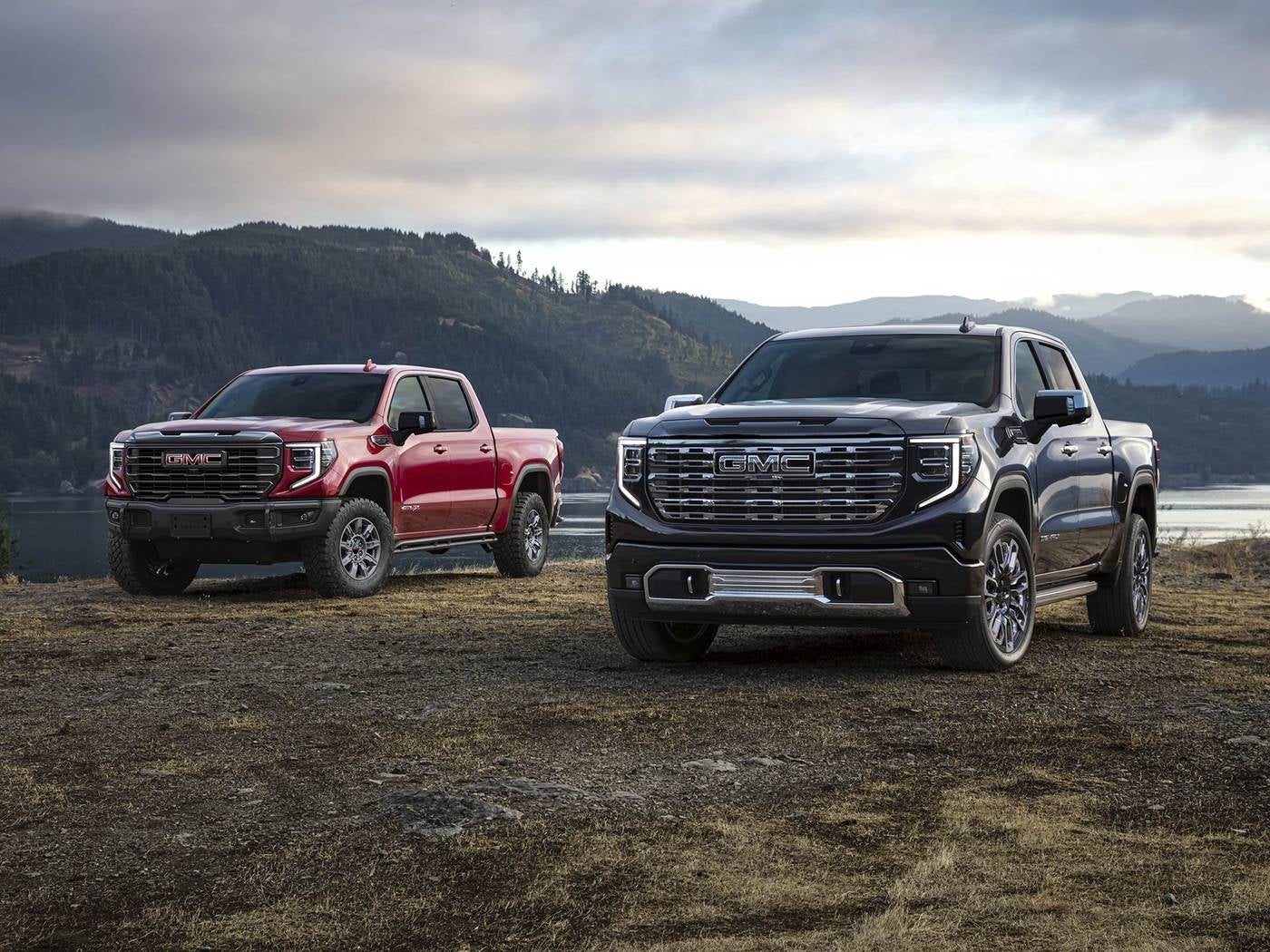
One red and one black GMC Sierra 1500 pickup parked in a grassy field beside the water
Sierra 1500 | Graham, TX
A plain look at the Sierra 1500 trim ladder, who each step suits and what to settle before you visit Holiday GMC.

A trim name tells you very little until you've spent an hour in the truck. Pro, Elevation, SLT, AT4, AT4X and Denali all share a Sierra 1500 body, but they're built for different days. One suits a rancher who climbs in and out forty times before lunch. Another suits a commuter who wants a quiet cabin on Highway 16.

This guide sorts the trims by use instead of by badge. It stays away from numbers, because the exact equipment changes with the build, and you should confirm details for your trim with the team before you decide. What follows is a way to narrow the field before you ever sit in a driver's seat.

Quick answer: Choose the Sierra 1500 trim by your daily use first, then add features. Work and ranch trucks lean toward the simpler trims, family trucks toward SLT or Elevation, off road use toward AT4 or AT4X, and comfort toward Denali. Browse the Sierra 1500 lineup and check each build with Holiday GMC in Graham at (940) 227-4212.

Trims covered
Pro, Elevation, SLT, AT4, AT4X and Denali
How to choose
Match the trim to your daily routine, then price the extras
Where to ask
Holiday GMC, 1420 Highway 380 Bypass, Graham, TX

Where should you start when picking a Sierra 1500 trim?

Start with a week, not a spec sheet. Write down what the truck does between Monday and Sunday: how many miles of pavement, how many of gravel, how often something hooks to the hitch, how many seats get used. A truck that sees a stock trailer twice a month and a school pickup line five days a week needs a different trim than one that lives at a job site.

Once you have that list, the trim ladder gets easier to read. Lower trims put the money into the truck itself. Higher trims add comfort, appearance and technology besides. Neither direction is wrong, but paying for features you'll never touch is the most common regret, and skipping one you'd use daily is the second.

Equipment varies by trim and by build, so treat every feature mentioned here as something to confirm. The new Sierra inventory page is a good place to see how real builds are put together.
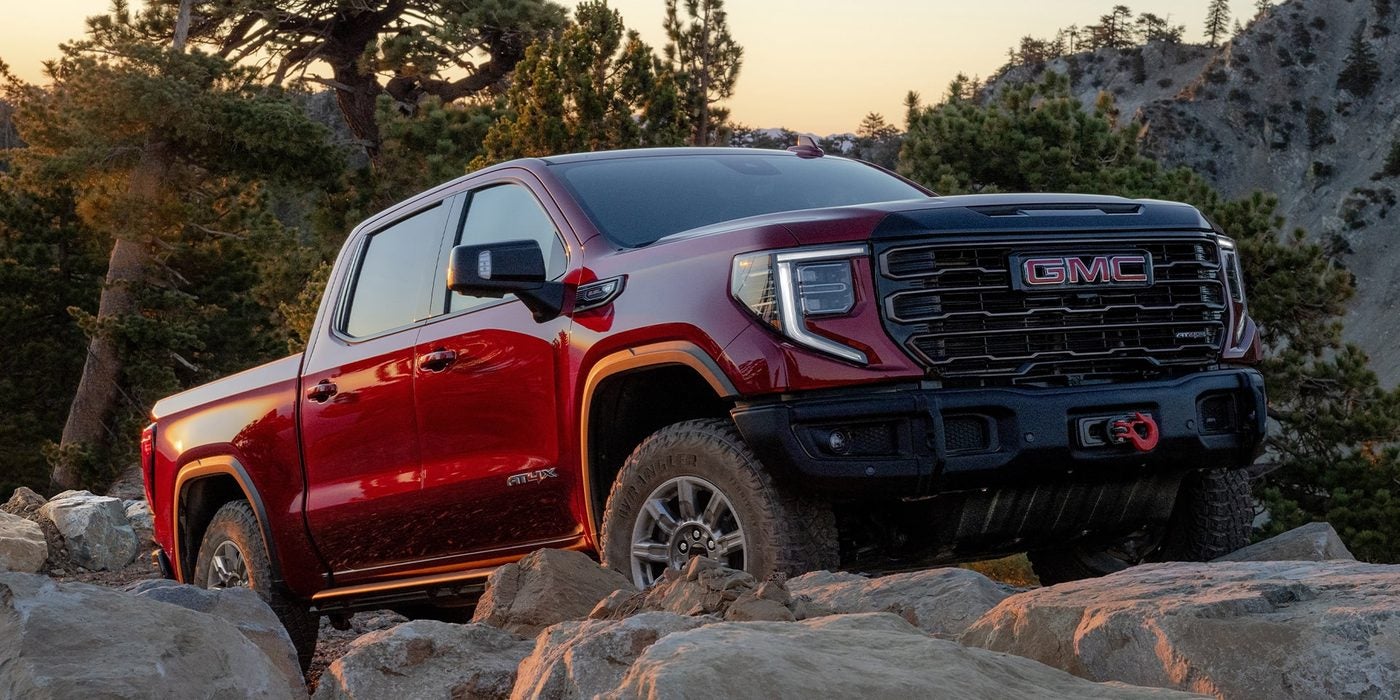
Red GMC Sierra 1500 pickup parked on rocky terrain in a rugged setting

Which trims make sense for ranch and work use?

Pro and Elevation sit at the practical end of the ladder. A work crew that rides hard on a truck often does well with the simpler cabin, since seats and surfaces that shrug off dirt are worth more than a screen full of extras. Elevation adds a sportier look and more equipment while staying in the same price conversation as the basics, so it appeals to a rancher who wants the truck to look sharp in town too.

Think about what gets dragged into the cab. Feed sacks, wet gloves, a dog and a toolbox all test an interior. Ask to see how the seat material and the floor are finished on the trim you like, and ask what a heavy duty floor covering would cost to add.

Ranch road check

Drive the truck on a rough stretch of county road before you decide. A smooth highway loop hides what a washboard gravel lane shows right away.

What suits a family truck that also hauls on weekends?

SLT is where many parents land. It adds comfort and convenience features beyond the work oriented trims, which matters when the back seat is occupied most afternoons. Crew cab versions give kids room, and car seat anchors and rear door width are worth testing with your actual seats instead of guessing.

Elevation can fit this role too if you like the styling and don't need the extras SLT brings. The question to ask is how often you'll use the features, not whether they sound nice. A heated seat is pleasant in January, and that's a fair reason to want it, as long as you know that's what you're paying for.

Bring the whole household when you test drive. Climbing into the rear seat and buckling a child in tells you more than the brochure will.
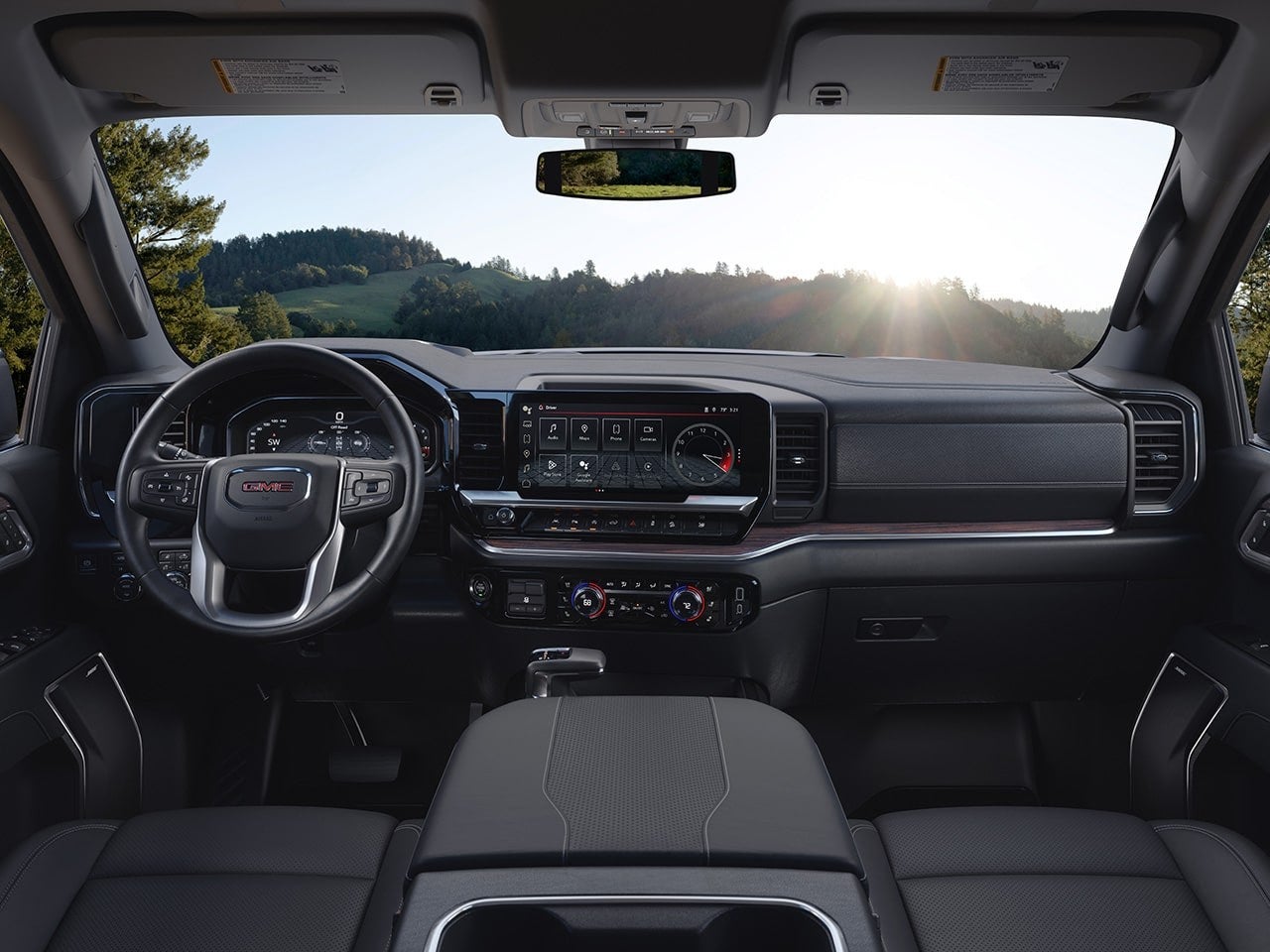
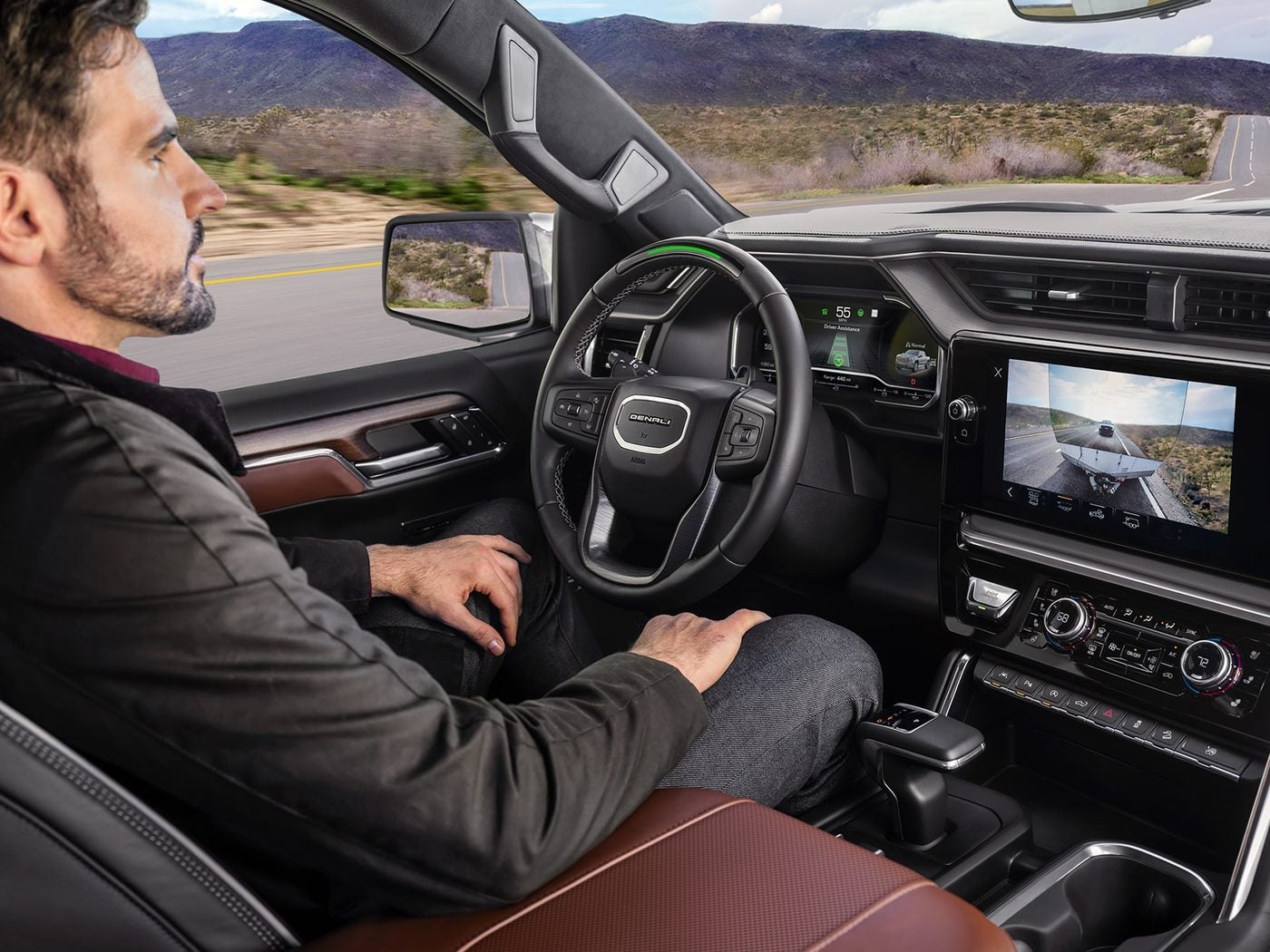
Interior of a GMC Sierra 1500 showing the front seats, steering wheel and digital dashboard

Are AT4 and AT4X worth it if you rarely leave the pavement?

Honestly, that depends on the pavement. AT4 is the off road minded trim, and AT4X goes further in that direction. Both are built around rougher terrain, so they make the most sense for hunters, lake weekenders heading down unmaintained roads and anyone whose property has more trail than driveway.

If your driving is mostly Highway 380 and a gravel turnoff, you may not use what the trim adds. On the other hand, some buyers like the look and the extra capability margin, and that's a legitimate choice. Ride feel also differs between trims, so spend time on a road you know before judging.

Ride feel also differs between trims

What does Denali add, and who is it for?

Denali is the comfort and refinement trim. Expect a more finished cabin, more available technology and a calmer feel on long drives. It suits the commuter who logs real highway miles, the executive who also owns a few hundred acres, and the buyer who wants a truck that feels special every morning.

The honest tradeoff is that Denali suits those who'll enjoy the details. If a truck mostly sits at a work site, those details may not get appreciated. If you'll use it daily and keep it a while, they usually do.

Ask about the options available on that trim, since some features are packaged and some are sold separately. Check the build for your trim and ask the team for exact figures on anything that matters to you.

Drive it for a few days

Trims feel different on your own roads. Holiday GMC says test drives can run for a few days, and a vehicle can be delivered to you for a drive where available. The store also points to transparent pricing with no surprise dealer add ons.

Book a Sierra test drive

Choosing Between Trims

What is the difference between Sierra 1500 trims?

Each step adds a different mix of comfort, style, technology and capability. The simpler trims suit work, the middle trims suit family use, and the upper trims focus on off road ability or luxury.

Which Sierra 1500 trim is good for towing?

Towing depends on the build, the axle and the equipment more than the trim name alone. Ask the team to confirm the details for the exact truck you're considering.

Can I get a Sierra 1500 with four wheel drive on every trim?

Availability changes by trim and build, so check the specific truck. The team can tell you what drivetrain a given configuration offers.

Off Road and Work Trims

Is AT4X different from AT4?

AT4X is positioned as the more off road focused of the two. Test them back to back to feel how the ride and the equipment differ.

Is Pro a good trim for a work truck?

It often fits a crew that wants a simple, tough truck. Confirm the features on the build you're looking at.

Does Elevation include the same equipment as SLT?

Not always. The two trims lean in different directions, so compare the build sheets side by side.

Comfort and Luxury Questions

What makes Denali different from SLT?

Denali focuses on a more upscale cabin and available technology. SLT sits below it with a strong comfort package of its own.

Is Super Cruise available on the Sierra 1500?

It's available on select trims and builds. Ask about the build you want, and confirm what it needs before you order.

Will a higher trim ride quieter?

It can, since cabin materials and available features differ. Judge it on a drive instead of relying on the badge.

Buying and Ordering

Can I order a Sierra 1500 in a specific trim?

The store offers an Order Your Vehicle page for building a truck your way. The team can explain timing and options.

How do I find out what I can afford?

Use the payment calculator and the What's My Buying Power tool on the Holiday GMC site. Both give you a sense of your range before a visit.

Can I trade in my current truck?

Yes, the Value Your Trade tool on the site starts the process. A team member confirms the value in person.

Visiting Holiday GMC

Where is Holiday GMC located?

The store is at 1420 Highway 380 Bypass in Graham, TX 76450. You can call (940) 227-4212 with questions.

What are the sales hours?

Sales is open Monday through Friday from 8 to 6 and Saturday from 9 to 5. The store is closed on Sunday.

Can I take a Sierra home for a test drive?

The store says test drives can run for a few days. Ask the team how that works for the truck you want.
Check your buying power
See your range before you pick a trim.
Check Buying Power
Talk through financing
Learn how financing works at the store.
Finance Department
Posted in:

Related Posts

Man driving a GMC Sierra 1500 hands free with Super Cruise on a desert highway

Super Cruise on Texas Highways, Explained in Plain Terms

Technology | Graham, TX What Super Cruise does on a long Texas highway, where it stops helping and how to try it before you decide. Anyone who's driven I 20 south of Graham or the long straight stretches of TX 199 knows the feeling around mile forty: the road is easy, the scenery doesn't change, and your shoulders have been tight for an hour. That's the situation Super Cruise was built for. It's also a feature that gets described badly. Some folks hear hands free and picture a truck that drives itself, and that's not what this is. This guide explains what the system does, where it stops, which GMC models offer it and how to judge it on a real test drive at Holiday GMC in Graham. Quick answer: Super Cruise is a hands free driving feature for mapped highways, and you still have to watch the road the whole time. It's available on select GMC models and trims, so check the build for the one you want and read the details on the Super Cruise page. What it is Hands free driving on compatible mapped highways What it needs from you Your eyes on the road at all times Where to try it A test drive at Holiday GMC, 1420 Highway 380 Bypass, Graham In this post What does Super Cruise do on a Texas highway? Does it work on every road around Graham? What won't Super Cruise do for you? Which GMC models offer Super Cruise? How do you test Super Cruise on a test drive? What does Super Cruise do on a Texas highway? Once the system is ready and you're on a compatible highway, it can steer, hold your lane and keep a set following distance while your hands rest off the wheel. You pick the speed the way you would with ordinary cruise control, and the truck handles the small corrections that wear you out on a long haul. A camera inside the cabin watches where your eyes are pointed. If your attention drifts, the system warns you, and if you ignore the warnings it will slow the vehicle down. The idea is simple: the truck shares the work, but you stay responsible for the drive. On a flat, open highway with light traffic, that division of labor is a real relief. Hours behind the wheel feel shorter when you aren't fighting a steady crosswind or nudging the lane position every few seconds. Does it work on every road around Graham? No, and that surprises some first time users. Super Cruise relies on detailed map data, so it works on compatible divided highways that have been mapped for it. A two lane farm road, a gravel county route or a town street isn't where you should expect it to engage. The Super Cruise page on the Holiday GMC site links to coverage information, and that's the place to check before a long trip. Roads get added over time, so a route that wasn't covered last year may be covered now. Road trip tip Plan the drive in two parts. The county roads from Graham out to the main highway are yours to steer, and the system comes into play once you reach a mapped stretch. Treat the hands free miles as a bonus, not the whole plan. the truck shares the work, but you stay responsible for the drive What won't Super Cruise do for you? It helps with the highway, and it leaves the judgment to you. These are the situations where you should expect to take over, or at least be ready to. Poor visibility Heavy rain, fog, dust or low sun can limit what the cameras and sensors see. Keep your hands near the wheel and be ready to drive. Construction zones Shifted lanes, cones and workers on the shoulder are exactly where a human has to make the call. Exits and unmapped roads The system is for the highway portion of a trip. You steer the ramps, the turns and the town streets at the other end. Looking away Reading a phone or turning around to deal with the back seat defeats the purpose. The camera will notice, and so will the rest of the road. Browse new GMC trucks and SUVs Compare GMC against other brands Which GMC models offer Super Cruise? It's available on select models and trims rather than across the board. Depending on the build, that can include trucks like the Sierra 1500 and larger SUVs like the Yukon, along with some of the electric models. The trim and package decide it, so don't assume a vehicle has it because a sibling does. The model research page is a good place to start narrowing down the models you like. When you've found a build you're interested in, ask the sales team to confirm in writing that Super Cruise is on that exact vehicle, plus any plan or subscription terms that come with it. Those details change, and a quick question now avoids a surprise later. If you're cross shopping a Toyota Tundra or Highlander, the same rule applies there. Compare what each vehicle offers for hands free highway help on the specific trim, not the model name. How do you test Super Cruise on a test drive? A lap around the block won't tell you much. Ask the team for a route that includes a stretch of mapped highway, and treat the drive like a short trip you'd really take. 1 Pick the route first Tell the salesperson you want time on a divided highway, so they can plan a loop that gives the system a fair try. 2 Learn the display Before you engage anything, look at how the instrument cluster shows that the feature is ready, active or asking for you. 3 Let it work, then take over Notice how it handles curves, other traffic and a lane change, then practice taking the wheel back so the handoff feels normal. 4 Ask about the rules Confirm which trims have it, how the plan works and what the coverage map includes for the roads you drive. Take a few days with it A feature like this is easier to judge on your own roads than in a showroom lot. Test drives at Holiday GMC can run for a few days, and the store can deliver a vehicle for a test drive where available. The store also states a focus on transparent pricing with no surprise dealer add ons. Schedule a test drive The Basics of Hands Free Driving What is Super Cruise? + Super Cruise is a driver assistance feature that lets you drive hands free on compatible mapped highways. You still have to pay attention to the road, and an interior camera checks that you do. Is Super Cruise the same as a self driving car? + No. The system helps with steering, lane position and following distance, and you stay in charge. Think of it as a second set of hands for the highway. Can I take a nap while it's on? + Never. The truck expects your eyes on the road, and it will warn you and slow down if they aren't. Roads and Conditions Will it work on TX 199 or I 20? + Those are the kind of highways the system is built for, but coverage depends on the map data. Check the coverage information on the Super Cruise page before you count on a specific stretch. Does bad weather turn it off? + Poor visibility can limit what the system sees, so it may ask you to take over. In rain, fog or heavy dust, plan to drive the way you normally would. What about construction zones? + Treat those as yours to drive. Shifted lanes and temporary signs are situations where a person should be steering. Which Models and Trims Does the Sierra 1500 come with Super Cruise? + It's available on select Sierra 1500 trims, not on every one. Check the build for your trim or ask the sales team to confirm. Can I get it on a Yukon? + Select Yukon builds can offer it. Confirm it on the exact vehicle before you decide. Do the electric GMC trucks have it too? + Some electric models offer it on select trims. The HUMMER EV and Sierra EV pages on the site are the place to look at what's available. Cost, Plans and Paperwork Does Super Cruise cost extra? + Ask the sales team for the current terms, since plans and packages can change. The dealership can walk you through what's included on the vehicle you're considering. Is there a subscription after the trial? + Plan terms vary, so ask for the details on the specific vehicle before you buy. Get them in writing, and you'll know what to expect. Can I add it to a vehicle I already own? + Ask the team. Whether a feature can be added depends on how the vehicle was built, and the advisor can check for you. Trying It at Holiday GMC Can I test drive a Super Cruise vehicle in Graham? + You can schedule a test drive online or call (940) 227-4212. Tell the team you want to try the feature so they can set up a drive with highway time. How long can a test drive last? + The About page says test drives can run for a few days. Ask the sales team how that works for the vehicle you want. Where is Holiday GMC? + The store is at 1420 Highway 380 Bypass in Graham, TX. Sales is open Monday through Friday from 8 to 6 and Saturday from 9 to 5. Build the one you want Order a vehicle with the options you choose. Order Your Vehicle Plan your visit Store hours and directions for a test drive. Hours and Directions

Blue GMC Sierra 1500 facing the camera on a beach road

Sierra 1500 or Tundra: Where to Spend Your Test Drive Time

Comparison | Graham, TX A fair way to size up a GMC Sierra 1500 against a Toyota Tundra, using your own roads and your own routine. Two full size trucks can look close on paper and feel nothing alike once the bed is loaded and the road turns to gravel. That gap is why a spec sheet makes a poor tiebreaker. It tells you what a truck is rated for, and it can't tell you whether you'll want to climb back in tomorrow. This guide compares the GMC Sierra 1500 with the Toyota Tundra in plain terms, without leaning on numbers. It covers what to look at in the cab, the bed and the hitch, how the Sierra trims line up with real jobs, and a checklist you can run on a test drive out of Holiday GMC in Graham. Quick answer: Drive the Sierra 1500 and the Tundra back to back on the same roads with the same load, then judge the cab, ride, bed, hitch and tech by how they fit your week. Use the GMC compare competitors page to line up the details, and ask the Holiday GMC team about the trim you're considering. Compared GMC Sierra 1500 and Toyota Tundra Judge by Cab, ride, bed, hitch and tech Try it Back to back on roads you know In this post How do you compare a Sierra 1500 and a Tundra fairly? What should you check inside the cab? What about the bed, the hitch and the daily load? Which truck fits which kind of week? What does a good back to back test drive look like? How do you compare a Sierra 1500 and a Tundra fairly? Set the rules before you start. Drive both trucks on the same afternoon, over the same route, with a similar load if you can manage it. Memory fades quickly, and a truck driven on Tuesday never wins an honest comparison against one driven on Saturday. Match the trims as closely as the lineup allows, since a work trim and a luxury trim will always feel different. Write down what you notice in the first ten minutes, because the first impressions about seating position, noise and steering are usually the ones that stay with you. Then use the model research page for the Sierra details so you've got something to compare against. the first impressions about seating position, noise and steering are usually the ones that stay with you What should you check inside the cab? Sit in the driver's seat for longer than feels necessary. Adjust the wheel and pedals, check the sight lines over the hood and to the mirrors, and see whether the controls fall naturally to hand. Then climb into the back seat, because a crew cab that's roomy up front can feel different once three kids and a car seat are in it. Spend real time with the screen. Pair a phone, try the navigation and see how many taps it takes to reach the climate controls. A system that's clever on the showroom floor can be annoying at highway speed, and the reverse is true too. Test day tip Take the work gloves, the boots and the hat you really wear. A cab that fits you in church clothes might fit differently with a day of ranch work behind you. What about the bed, the hitch and the daily load? Look at how each truck handles the jobs you do every week. Drop the tailgate, step up into the bed and see how easy it is to reach the corner nearest the cab. Check where the tie downs sit and how the bed side height feels when you're loading something heavy by yourself. If you tow, bring the trailer or at least the hitch ball size you use. Ask the team about towing equipment that's available on the trim you're driving, and ask for the exact ratings for your configuration instead of relying on a general claim. Ratings change by engine, axle and package, so the build for your trim is the source to trust. Which truck fits which kind of week? There isn't a universal winner, and anyone who says otherwise hasn't met your workload. These cards sketch who tends to land where, so use them as a prompt instead of a verdict. Fits you if GMC Sierra 1500 You want a choice of trims that runs from a work focused Pro to a Denali interior. You like the idea of AT4 or AT4X when the roads leave the pavement. You'll want to compare the available tech and trailering features on your specific trim. You prefer buying and servicing in one place, with GMC Certified Service technicians in Graham. Fits you if Toyota Tundra You've driven Toyotas for years and the Tundra is already on your list. You want to see how its cab, ride and controls feel next to the Sierra. You plan to check Toyota's own build and ratings for your configuration. You're willing to drive both and trust your own seat time. The Sierra trim question is worth settling early. Pro and Elevation lean toward work and daily use, SLT adds comfort, AT4 and AT4X aim at rougher ground, and Denali is the luxury end. Trims differ in what they offer, so confirm what's available on the one you're driving. What does a good back to back test drive look like? Keep the plan simple enough to follow while you're excited about a new truck. This order works well and takes about the same time in each one. 1 Walk around and sit in it Check the step up, the doors, the seat and the view before you turn the key. 2 Run city and highway miles Include a stoplight stretch and a run on Highway 380 or TX 16 so you feel both. 3 Find a rough road Take it over a bumpy county road to feel the ride, the noise and the steering. 4 Test the tech Pair your phone, try the navigation and see how the controls behave while you drive. 5 Check the bed and hitch Load something, drop the tailgate and look at the hitch setup that matches your trailer. See new Sierra inventory Order a truck your way Drive them back to back Comparing two trucks takes more than one lap. Test drives at Holiday GMC can run for a few days, and the team can deliver a vehicle for a drive where available. The store also states a focus on transparent pricing with no surprise dealer add ons. Schedule a test drive Sierra 1500 Basics Where can I test drive a GMC Sierra 1500 in Graham, TX? + Holiday GMC at 1420 Highway 380 Bypass offers test drives. Call (940) 227-4212 to set up a time. Which Sierra 1500 trims does GMC offer? + The Sierra 1500 trims include Pro, Elevation, SLT, AT4, AT4X and Denali. What's available on each changes, so ask the team about the one you want. Is the Sierra 1500 a good truck for a ranch? + It can be, depending on the trim and how you use it. Bring your actual jobs to the test drive and judge it against them. Comparing Against the Tundra How does the Sierra 1500 compare with the Toyota Tundra? + They're both full size pickups, and the right one depends on your cab, bed and ride preferences. Drive them back to back on the same route. Where can I read more about competitors? + Holiday GMC has a compare competitors page that lines up GMC models against rivals. Use it along with your own seat time. Can I get exact ratings for a specific truck? + Ask the team for exact figures for the trim and configuration you choose. Ratings vary by engine, axle and package. Trims and Options What is the difference between AT4 and AT4X? + Both aim at off road use, with the X version aimed further in that direction. Ask the team what each includes on the model you're considering. Does the Sierra come with Super Cruise? + Super Cruise is available on select models and trims. Check the build for yours before you decide. Can I order a Sierra with the options I want? + The site has an Order Your Vehicle page. The team can walk you through what's possible and the timing. Test Drives and Delivery How long can a test drive last? + The store says test drives can run for a few days. Ask about the details for the truck you like. Can a vehicle be delivered for a test drive? + The store says vehicles can be delivered for a test drive, though free delivery may be limited. Ask when you call. What should I bring to a test drive? + Bring your license, the gear you really use and, if you tow, details about the trailer. A driver's checklist helps too. Buying and Trading Can I trade in my current truck? + Yes. The Value Your Trade tool on the site is a good first step, and the team can talk through an appraisal. Does Holiday GMC add dealer extras to the price? + The store states a focus on transparent pricing with no surprise dealer add ons. Ask for a breakdown before you sign. Where do I get the truck serviced afterward? + The same location offers GMC Certified Service technicians for oil changes, tires, brakes and batteries. Value your trade Start an estimate on your current truck. Value Your Trade Talk about financing Learn how the finance department can help. Visit the Finance Page

Technician holding an ACDelco battery beside the Denali grille of a GMC at Holiday GMC in Graham, TX

Check the Battery Before the First Cold Morning: GMC Battery Service in Graham

Service | Graham, TX Why batteries fail when the weather turns, what the warning signs look like and how to get yours tested at Holiday GMC. Batteries rarely die at a good time. They wait for the first cold snap, the morning of a hunting trip or the Friday before a holiday weekend, when the truck is loaded and the family's already in the driveway. The frustrating part is that most batteries give notice. A slow start, dim lights or a warning on the dash usually show up weeks before the final click. This guide covers what to watch for, what a battery check involves at Holiday GMC in Graham and how to fit it in before the roads fill up. Quick answer: Have your battery tested before cold weather or a long trip, and replace it if the test says it's weak. Holiday GMC's service department handles batteries, and you can book through the battery service page or by calling (940) 227-4212. Where Holiday GMC, 1420 Highway 380 Bypass, Graham, TX Parts GM Genuine Parts and ACDelco parts Service hours Monday through Friday, 8 to 6 In this post Why do batteries give out when the weather cools off? What are the warning signs of a weak battery? What does a battery check at Holiday GMC involve? How long will it take, and can you wait while it's done? What else should you look at before a long cold weather trip? Why do batteries give out when the weather cools off? A battery makes power through a chemical reaction, and cold slows that reaction down. At the same time, a cold engine is harder to turn over because the oil is thicker. So the battery has less to give right when the truck asks for more. Heat does the quiet damage first. A long Texas summer wears a battery down, and a weakened one can seem fine until the temperature drops and exposes it. That's why the first chilly morning in October or November is when so many trucks refuse to start. Modern GMC trucks and SUVs also ask a lot of the battery even when parked. Screens, sensors and remote start features keep drawing a little power, which adds up on a vehicle that sits for days. What are the warning signs of a weak battery? Most of these are easy to ignore for a while. Don't. A battery that's starting to fail can take a perfectly good weekend with it. Slow, labored starts If the engine cranks slower than it used to, especially in the morning, the battery is losing strength. Dim lights or a flickering dash Headlights that fade at idle or screens that restart can point to a battery or charging problem. Warning message or light A battery or charging message on the dash needs a check, not a wait and see approach. Corrosion on the terminals White or blue crust around the posts can block the flow of power and is worth showing to a technician. Age matters too. A battery that's been in the truck a long time is a candidate for testing even if it still starts the engine, because failure often comes without much warning. most batteries give notice What does a battery check at Holiday GMC involve? The service department lists the battery among the items in its Multi-Point Vehicle Inspection, alongside tires, wiper blades, fluid levels and brakes. Inspections vary by dealer, so ask the advisor how the battery is tested when you check in. 1 Book a time Use the Schedule Service page or call the department. Mention that you want the battery checked so the advisor can plan for it. 2 Describe what you've noticed Slow starts, dash messages and long periods of sitting all help the technician. 3 Testing A technician tests the battery and checks the connections, then tells you whether it's healthy, weak or ready to replace. 4 Decision and replacement If it needs replacing, the department works with GM Genuine Parts and ACDelco parts, and the advisor can explain which fits your vehicle. Book a battery visit Look at service specials How long will it take, and can you wait while it's done? The honest answer is that it depends on the day. A test by itself is usually quick, and a swap can be too, but the shop's schedule and any extra work found during the inspection change the picture. The advisor can give you an estimate when you book, and a better one when you check in. The busiest stretch is the first cold week, when everyone remembers their battery at once. Booking before the weather turns, or early in the week, gives you more choices. The department is open Monday through Friday, 8 to 6, and closed on weekends, so a Saturday morning plan won't work. Holiday trip tip If a trip is coming, get the battery checked at least a week ahead. That leaves time to order a part if one is needed, and it keeps the surprise from landing on the day you're loaded and ready to go. What else should you look at before a long cold weather trip? A battery check is a good excuse to look at the rest of the truck. Tires matter in cold weather because pressure drops with the temperature, so the Tire Finder tool is worth a look if the tread is getting low. Wiper blades, brakes and fluid levels are all part of the inspection too. Pack a set of jumper cables or a portable jump starter if you travel out toward Possum Kingdom Lake or along Highway 16, where help may be a ways off. It won't fix a failing battery, but it can turn a long wait into a short delay. Book it by phone, online or in person Pick the route that suits your week. Call the department at (940) 227-4212, use the online schedule form, or read through the service page first. Technicians here are GMC Certified Service technicians, and the shop handles a GMC or any other vehicle. See the service page Testing and Replacing a Battery Where can I get a GMC battery tested in Graham, TX? + Holiday GMC at 1420 Highway 380 Bypass offers battery service through its service department. Book online or call (940) 227-4212. Do I need to replace the battery if it still starts the truck? + Not always. A test tells you how much strength is left, and the advisor can tell you whether it's worth replacing before the cold arrives. What kind of battery will my GMC get? + The department works with GM Genuine Parts and ACDelco parts. Ask the advisor which battery matches your vehicle. Signs and Symptoms Why does my truck start slowly on cold mornings? + Cold weather thins the oil and weakens the battery, so a tired battery shows its age first. A test can confirm it. What does a dim dash light mean? + It can point to a weak battery or a charging problem. Have it looked at soon, because a charging issue will drain even a new battery. Can a battery fail without any warning? + Yes, though most give hints first. A test is the dependable way to know where yours stands. Scheduling and Wait Times How do I book a battery visit? + Use the Schedule Service page on the site or call the department. Let them know it's for the battery. Can I wait while it's done? + Ask the advisor when you book. How long it takes depends on that day's schedule and any additional work. What days is the service department open? + Service is open Monday through Friday from 8 to 6, and closed on Saturday and Sunday. Prices and Specials How much does a battery cost? + Cost depends on the battery your vehicle needs, so ask the service advisor for an estimate. Checking the specials page before you book is a reasonable habit. Is there a coupon for battery service? + The site has a Service and Parts Specials page, but offers change. Look there or ask the advisor when you book. Is a battery covered by warranty? + Coverage depends on the battery and the vehicle. The Parts Warranty page and the advisor can explain what applies. Other Vehicles and Extras Can you test the battery on a vehicle that isn't a GMC? + The department states it can service a GMC or any other vehicle. Call first so the advisor can confirm. Should I check the tires at the same time? + It's a smart pairing. The inspection includes tires, and the Tire Finder tool on the site can help if you need new ones. What if my truck won't start at all? + Call the department at (940) 227-4212 for guidance. A roadside jump can get you moving, but get the battery tested right after. Check your tires too Cold air and low tread don't mix. See Tires Order a part ahead Request a part through the parts page. Order Parts